What's new in KISP — November 2026
A fresher, faster Pakistan Digital Invoice Hub: a rebuilt dashboard that opens on what needs you, HS codes split cleanly per client for GST, amendments & cancellations moved to Reports, a complete filing History — and the Client Portal is now fully live with a web POS that syncs to FBR in realtime.
⚠️ First — do this once, or you'll still see the old app
The release ships a new app shell, new menus and an updated consent version. Until you refresh and sign back in, your browser keeps serving the old files.
- 1Hard refresh the page — Ctrl+Shift+R on Windows, ⌘+Shift+R on Mac. This throws away the cached old app shell.
- 2Soft refresh once more — F5 / reload — so the new screens pull fresh data.
- 3Log out, then log back in. Your session is rebuilt with the new menu, dashboard and permissions.
- 4Accept the updated Terms & Privacy when prompted. It's a one-time screen; you must accept to continue using the app.
Why all four? A hard refresh replaces cached code, a soft refresh reloads data, signing out & in rebuilds the session token behind the new menus, and the consent prompt records that you've seen the new terms. Skipping any one is the usual reason someone reports "I don't see the new dashboard."
Staff portal — what's new
Admin · Manager · UserThe short version, then each change with how to read and use it. Screenshots are marked as placeholders — drop in a capture from production where noted.
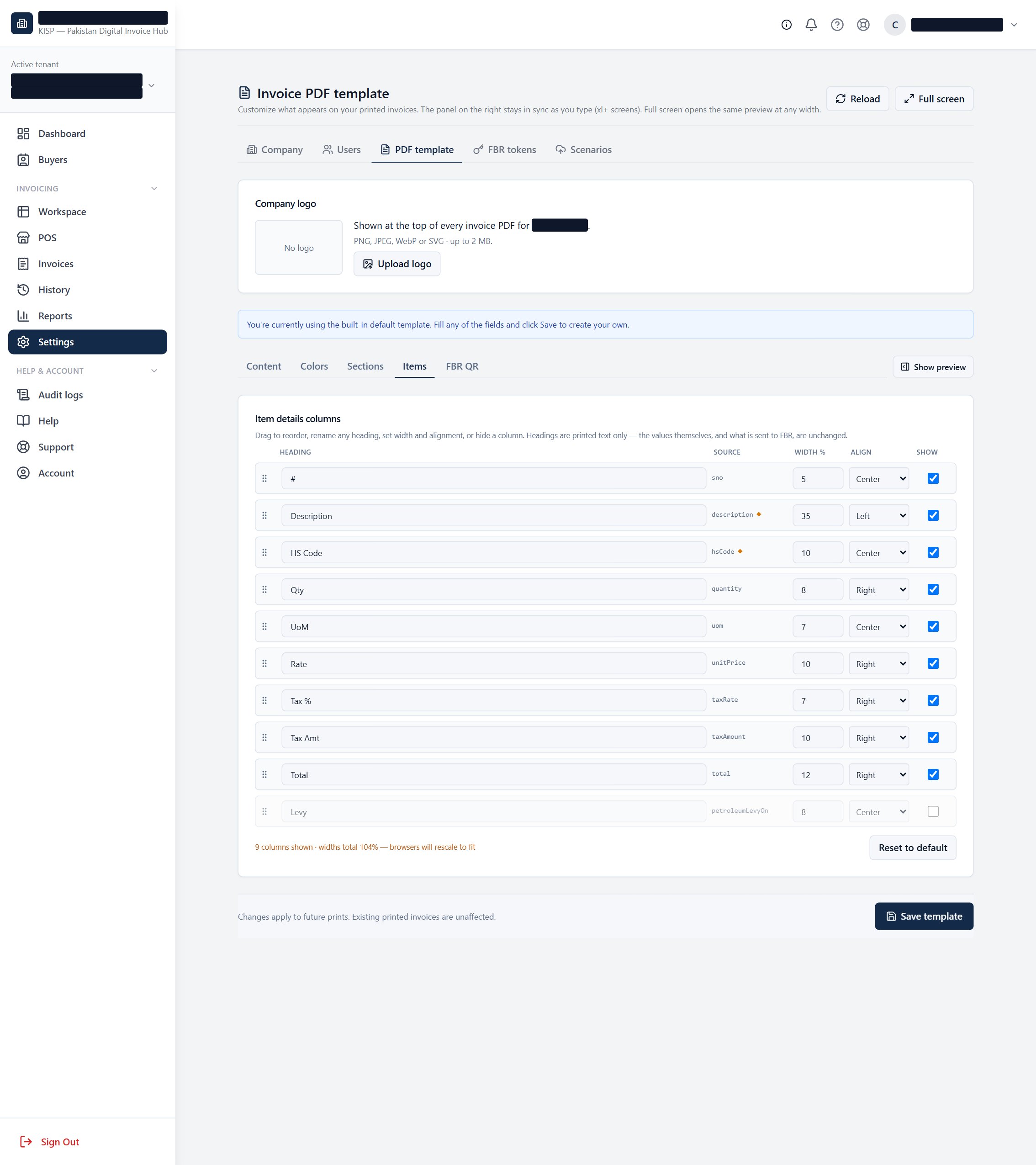
A brand-new dashboard that opens on what needs you — one attention list, Live-only, every number counts each invoice once.
HS Code and item Description now sit in their own columns, defined per client, so every GST line carries the right 8-digit HS code — with smart suggestions as you type.
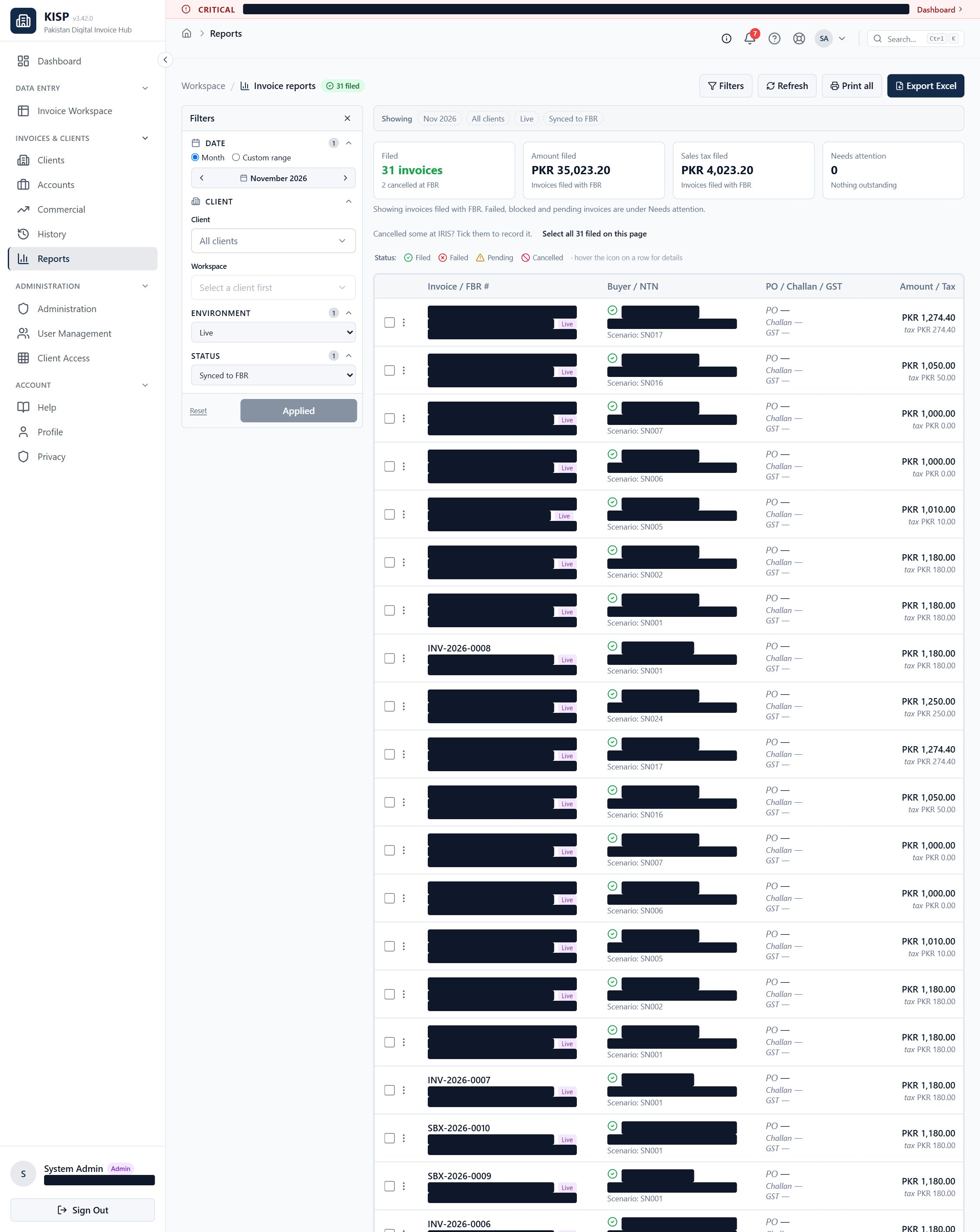
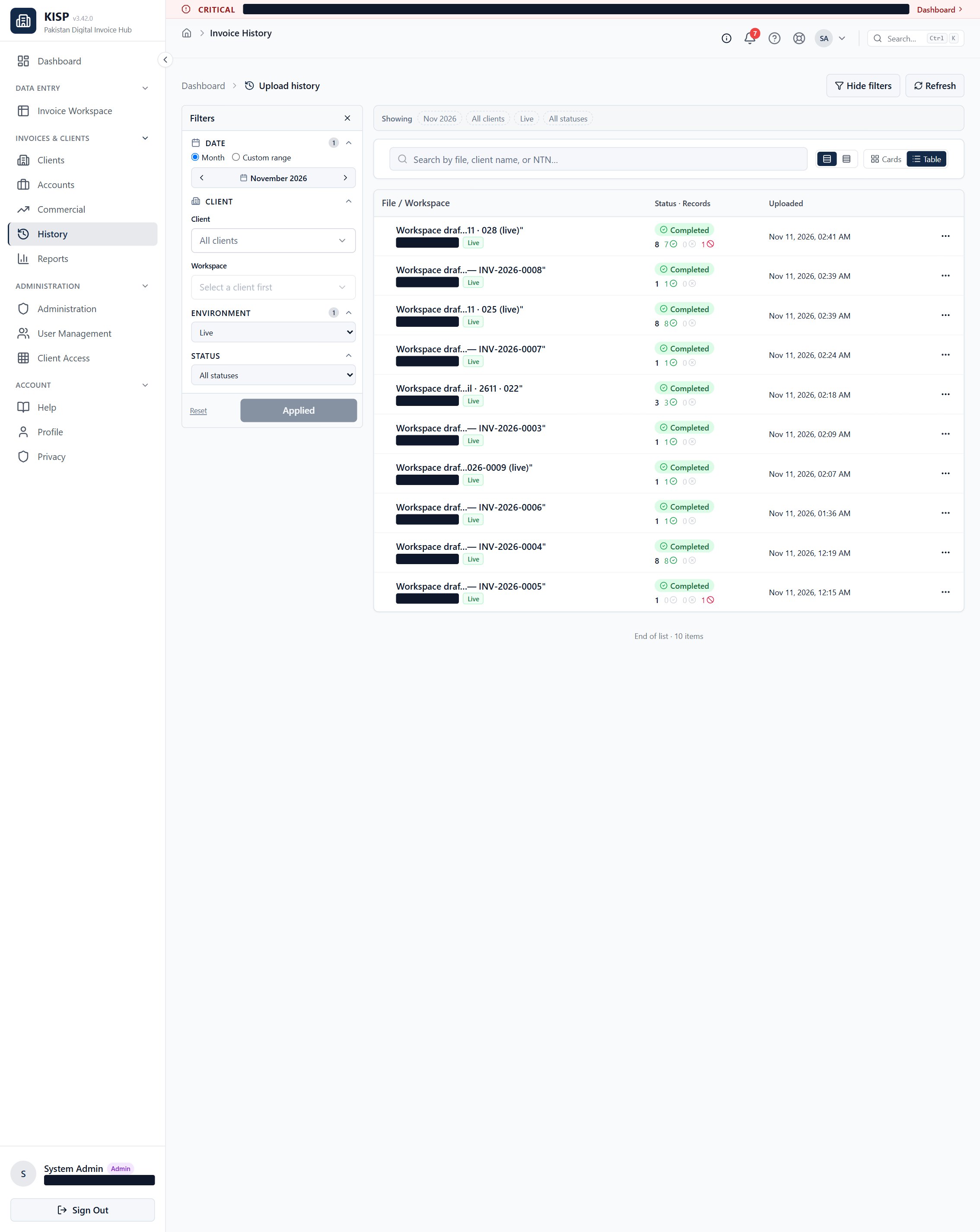
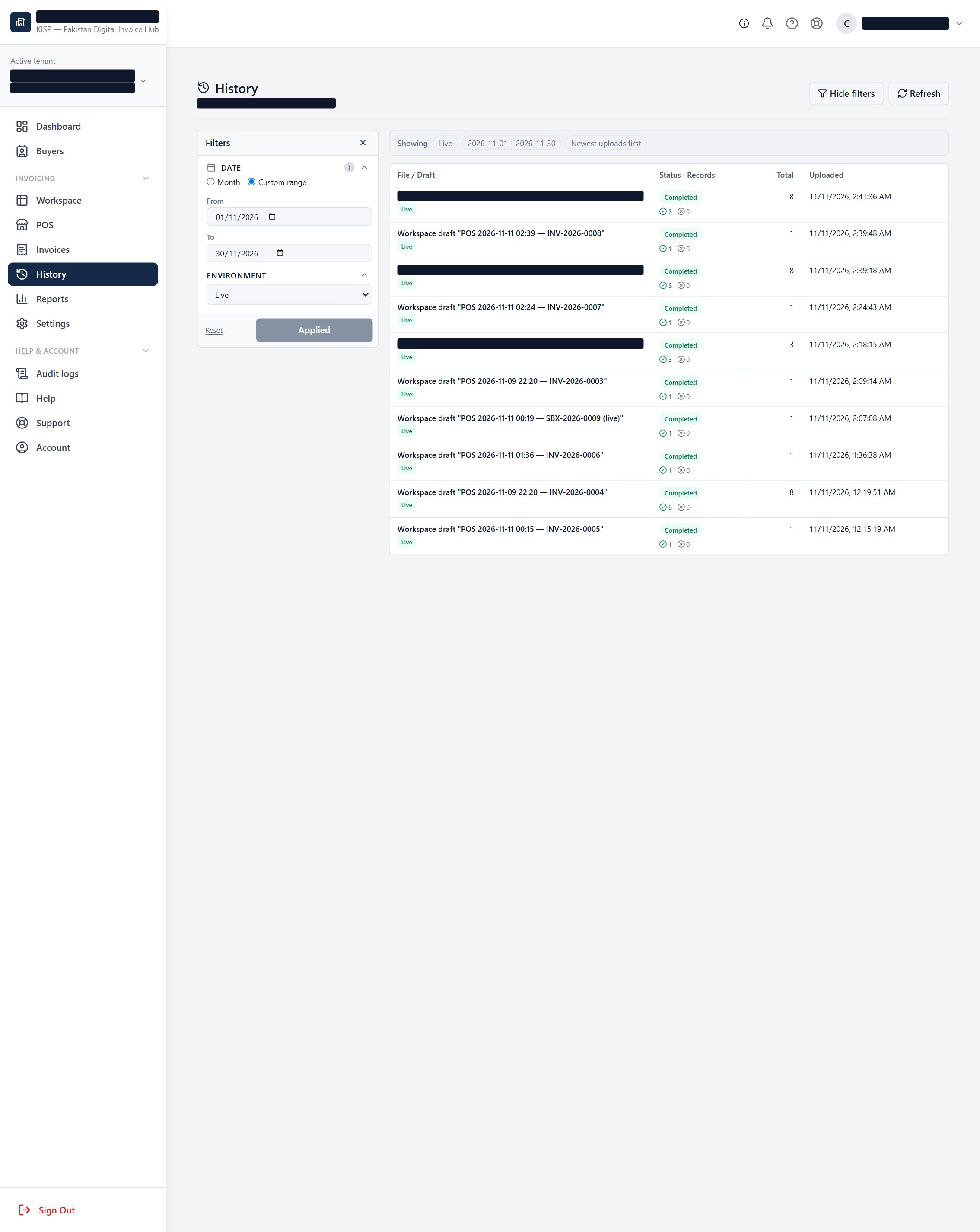
Amendments & cancellations moved to Reports, and History now shows the complete picture — every sync run of a draft, not just the latest.
A tighter, clearer layout that stays usable down to small laptop and tablet screens.
📊 The fresh dashboard rebuilt
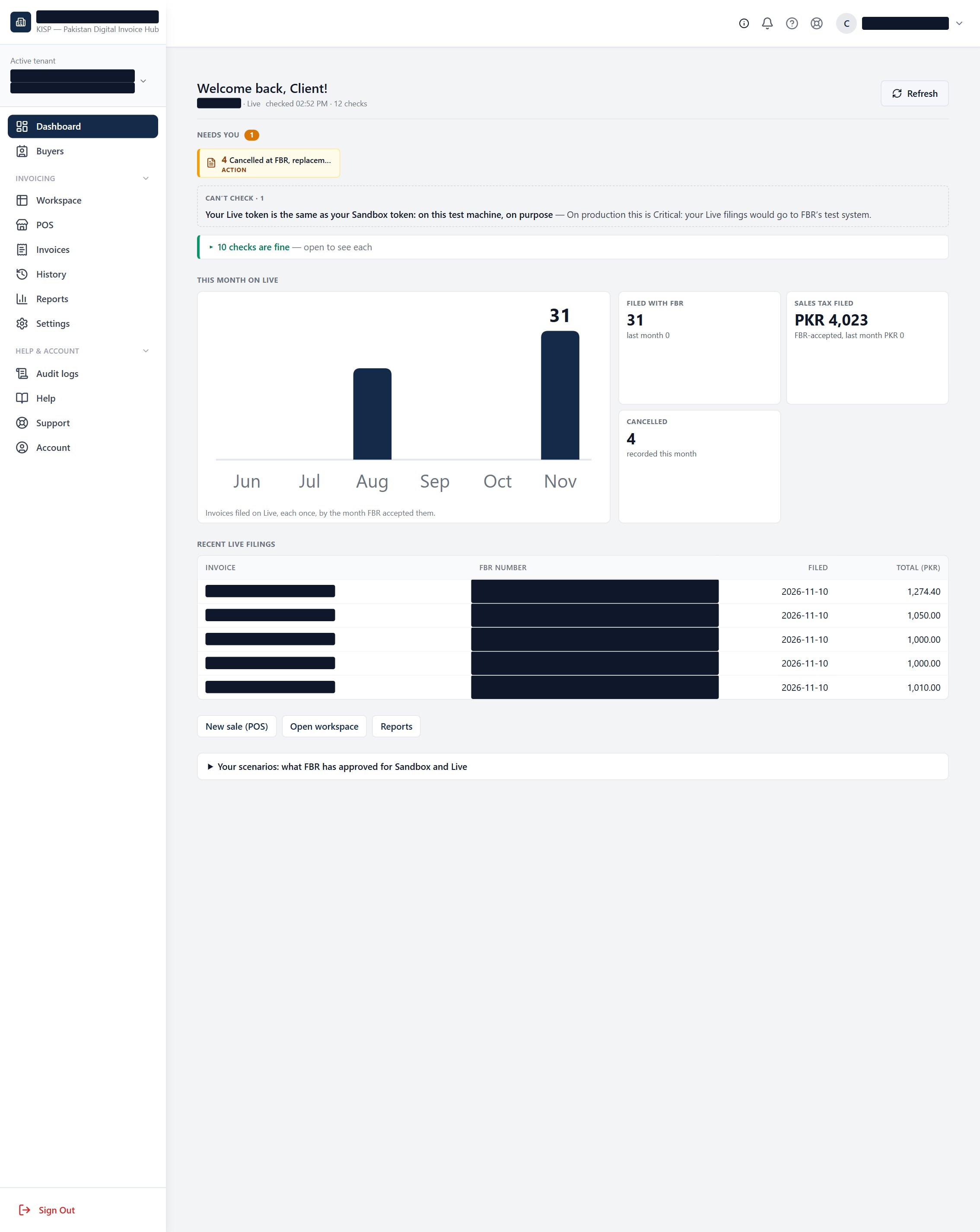
One Live-only view that answers "what needs me, what can't be checked, and what's fine" — in that order. No more two attention lists that disagreed; every number counts each invoice once, never upload runs.
How to read it — three bands
- Needs you — things that aren't fine, most serious first: Critical → Action → Info.
- Can't check — anything that couldn't be read right now. Never shown as "fine," never shown as a zero.
- All clear — everything watched and OK, collapsed by default so a quiet day looks quiet.
How to use the numbers
- Progress on Live — the month bars are invoices FBR accepted, each counted once; the tiles summarise the period.
- Clients by Live filings — filed count, last filed, and Live drafts to do.
- The Live pill ("Live off / No token / scenarios awaiting approval") links straight to the screen that fixes it.
- Work it top-down each morning: clear Needs you, glance at the trend, jump into any client.
🏷️ HS Code & Description, split per client (GST format) per client
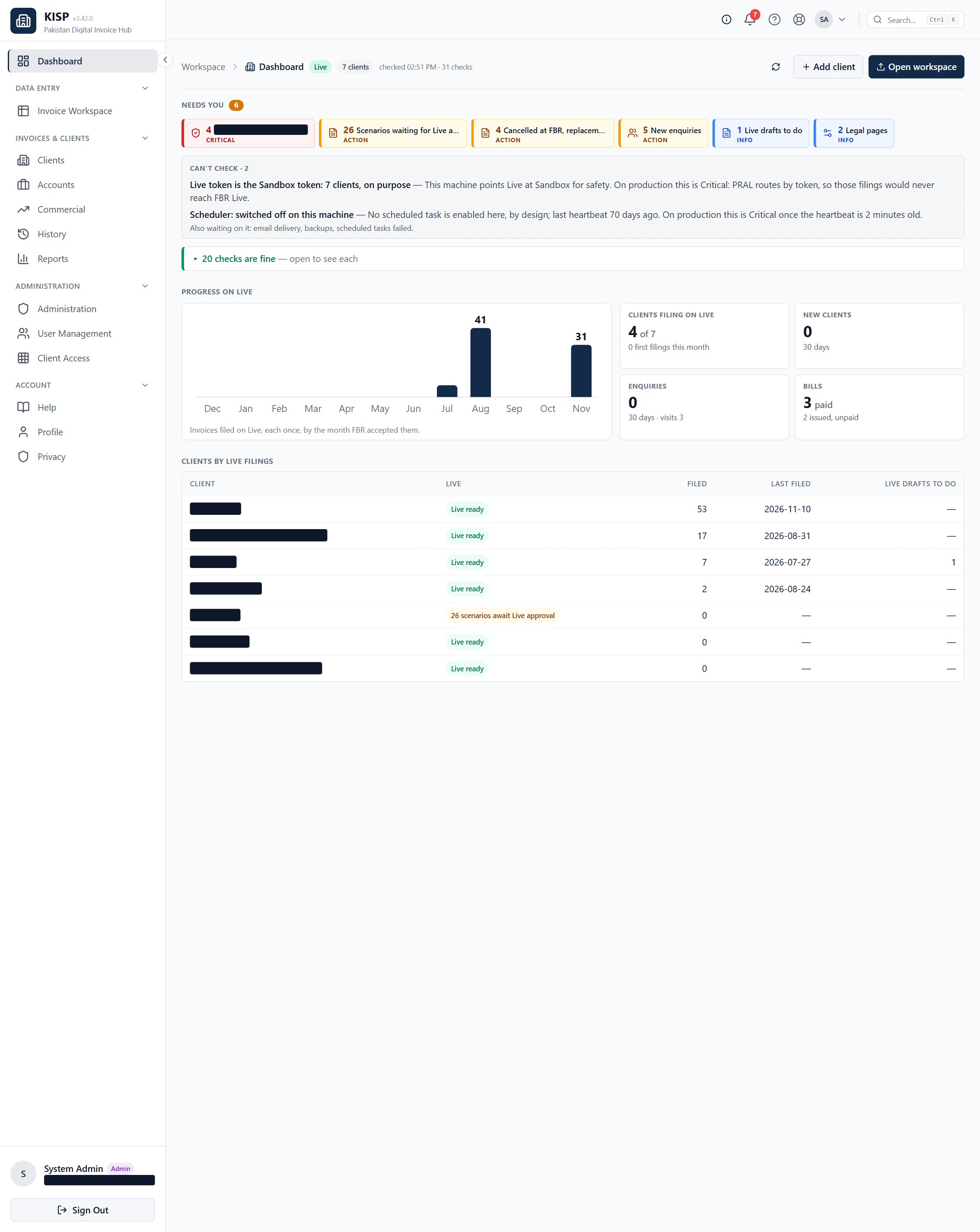
Each client keeps its own Item Library where every item carries a Description and its own HS Code as two separate columns (GST 8-digit). On the workspace grid and POS they stay distinct and file to FBR separately — and as you type, suggestions fill them for you.
The four suggestion sources
- Your own items — this client's Item Library.
- This buyer's codes — what this buyer has been billed before.
- Proven on Live — combinations other companies have successfully filed, anonymised (no names, no prices).
- FBR catalogue — the full official HS list.
How to define & split them
- Open the client → Items / Item Library.
- Add or edit an item with its Description and HS Code in their own fields (plus unit & rate).
- In POS / workspace, type a product or an HS code and pick a suggestion — it fills HS code, description, unit, rate, sale type and the scenario FBR accepted it under.
- Re-order or switch off any source in POS settings to match how this client works.
🖨️ Turn the printed HS Code column on or off GST print · per client
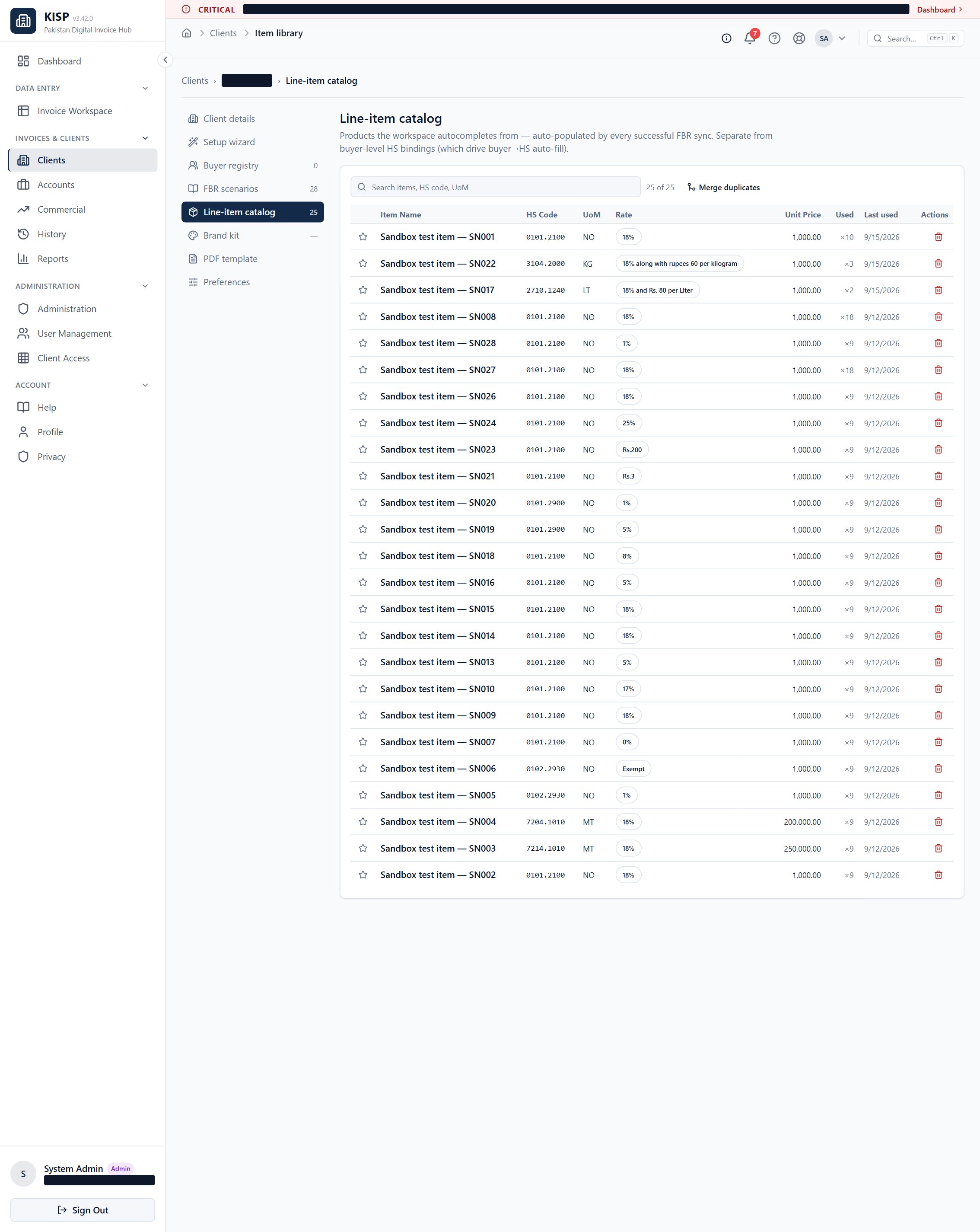
By default the GST invoice prints the HS code tucked inside the Description column. You can instead give it a dedicated HS Code column — a per-client print choice that applies to the PDF, the bulk print and the POS receipt. Printing only — the HS code and description sent to FBR never change.
Staff — the simple on/off
- Open the client → Preferences.
- Under Printed invoice, find “Give the HS Code its own column”.
- Set it On for a dedicated column, or Off to fold it back into the Description. (Reset returns it to the platform default.)
Client portal — in the template
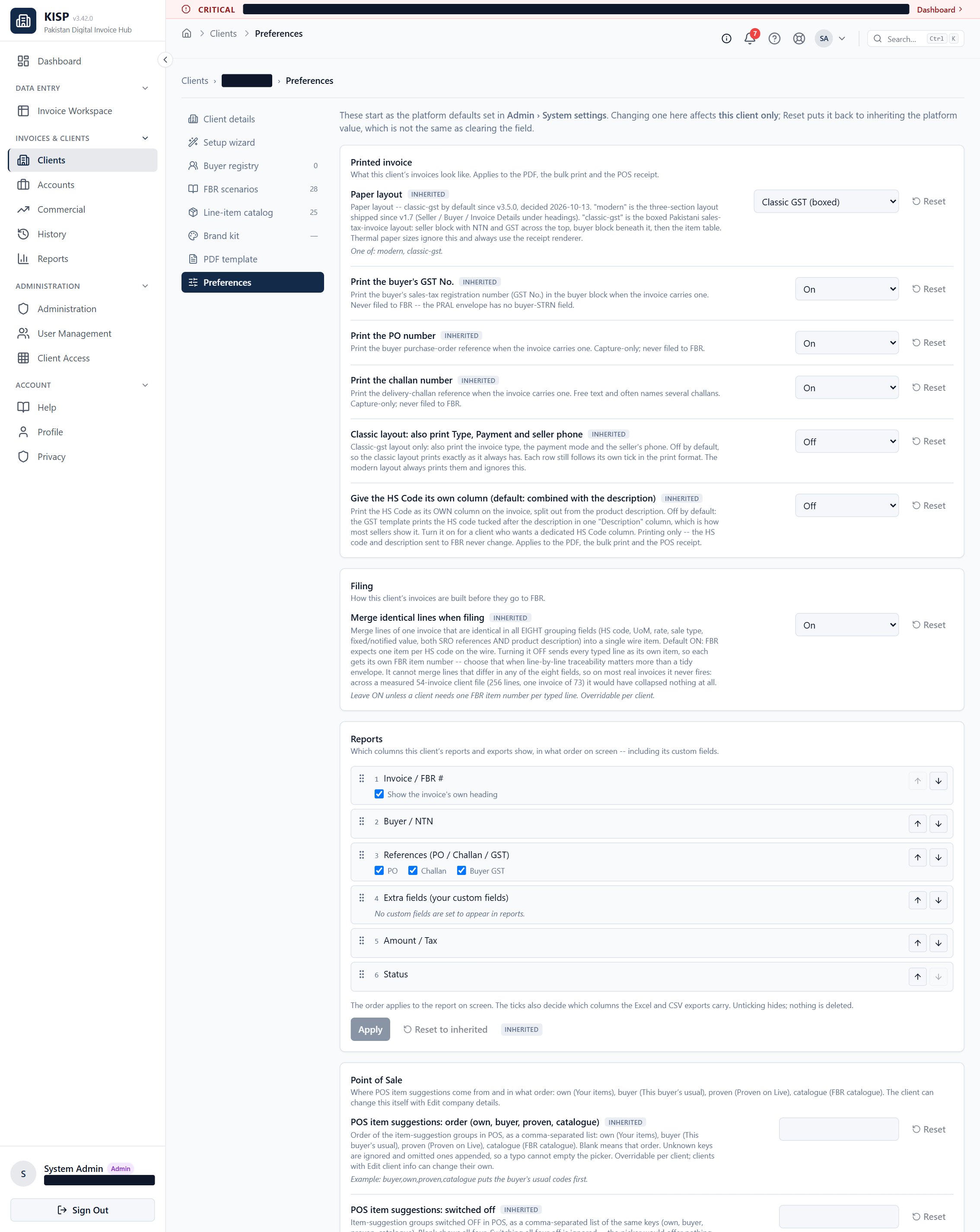
- Go to Settings → PDF template (needs Manage Templates).
- Open the Items tab → Item details columns.
- Tick / untick Show on the HS Code row to show or hide the column; drag to reposition it, then Save template.
🧾 Amendments & cancellations at Report level · complete History moved
Changing or cancelling an invoice now happens where you review the numbers — in Reports — and History finally shows the whole story of a draft instead of only its newest run.
At Report level
- Amend or cancel from Reports, one invoice or many at once.
- Cancelled invoices get their own bucket and no longer distort the counts.
- Filing rate = filed ÷ (filed + needs-attention) — cancellations are excluded, so the rate reflects real filing health.
Complete History
- History shows the whole draft: every sync attempt and run, not just the last one.
- The full trail for disputes, re-files and amendments is in one place.
- Upload-date vs invoice-date columns stay distinct (by design).
📐 Compact, clear UI — down to small screens polish
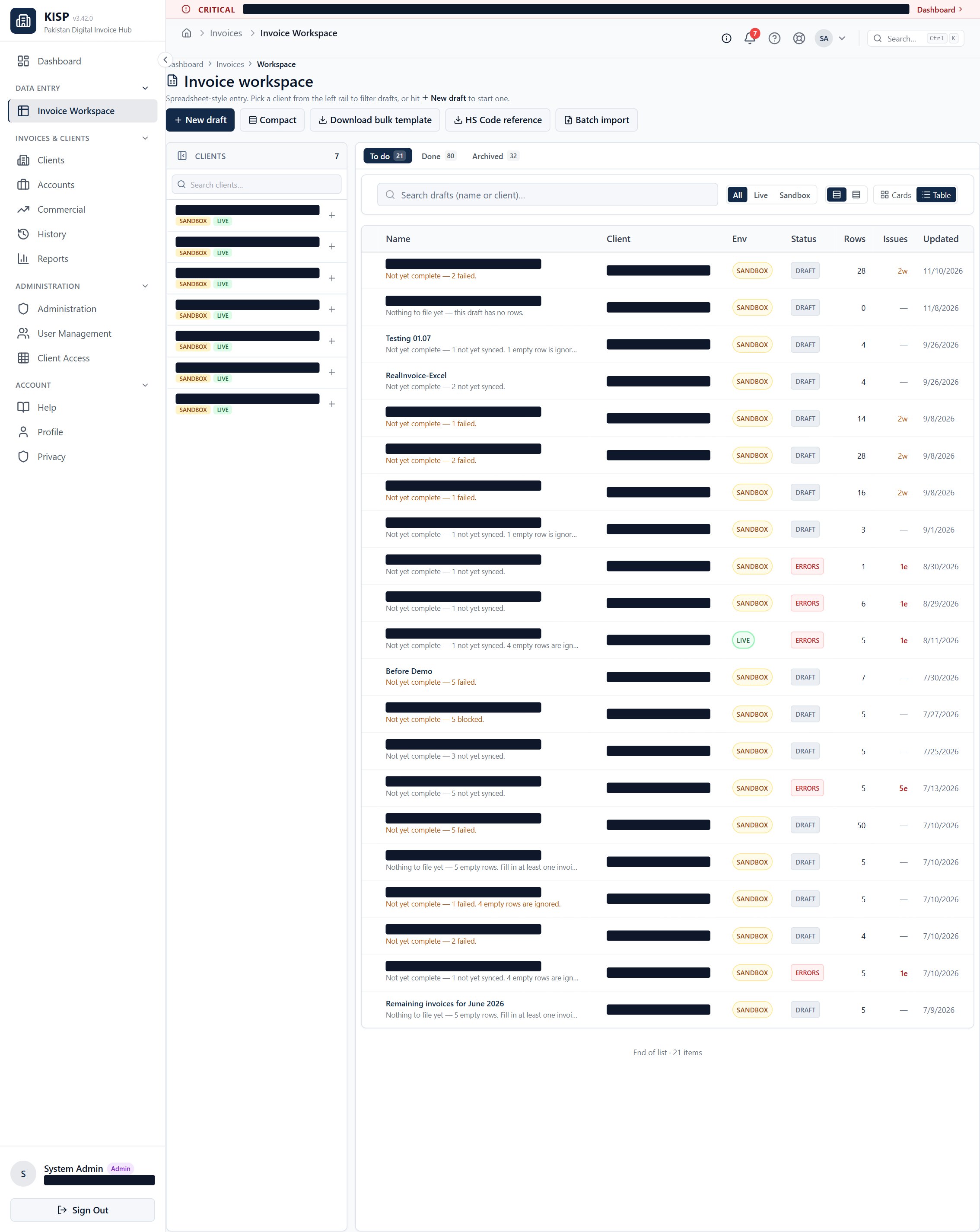
The layout was tightened across the board: compact tables, denser POS and grids, and side drawers in place of wide panels. It stays clear and clickable on small laptops and tablets.
- Compact tables with detail in a drawer / modal instead of a sprawling row.
- Filter panels collapse to a 280px drawer with Apply rather than pushing the page wide.
- POS and the grid fit more lines on screen without horizontal scrolling.
Client Portal — now fully live
Client-portal usersThe portal is complete: your tenants' own users can run their entire commercial-invoice flow themselves — create, sync to FBR in realtime, review and get alerted — without going through staff.
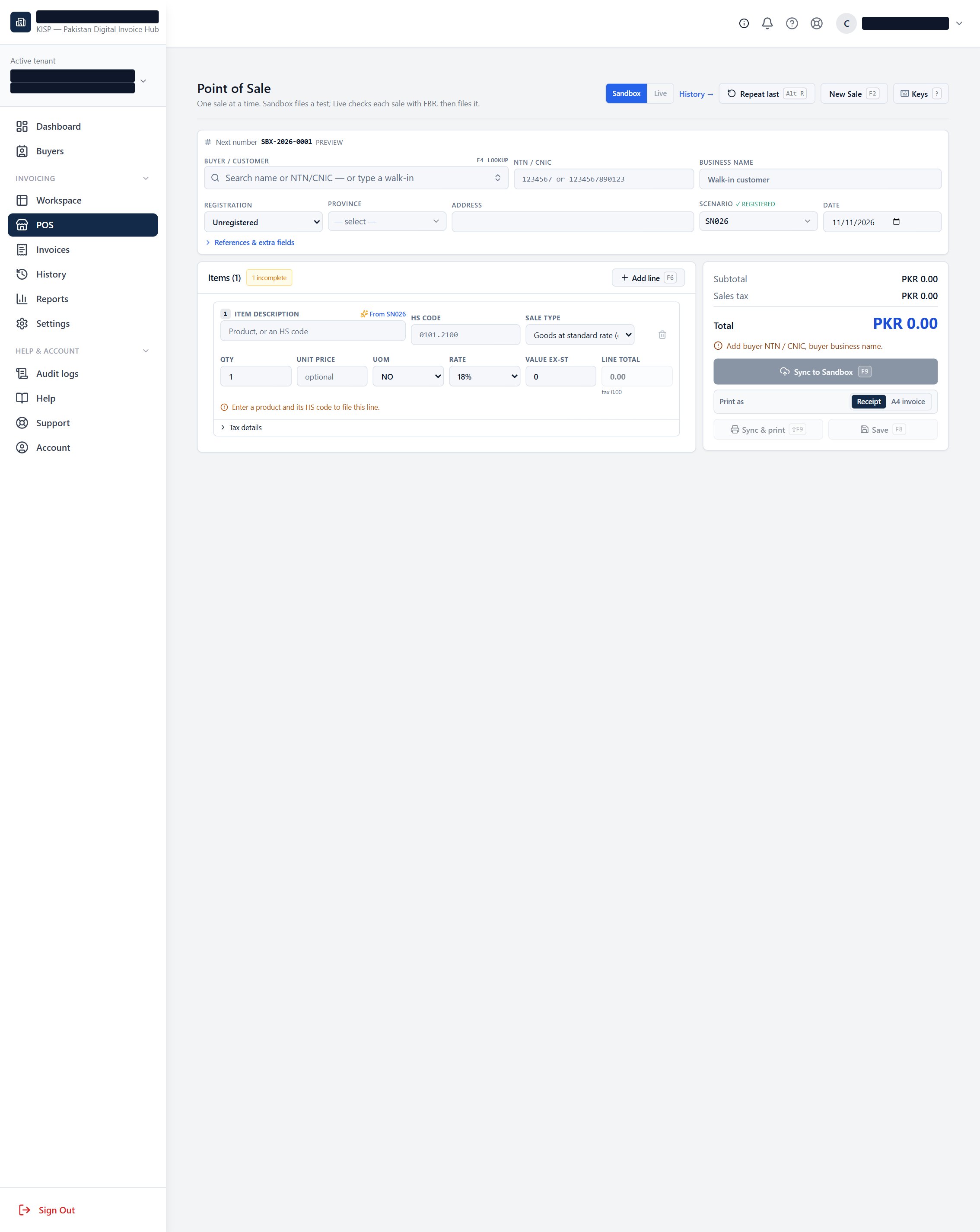
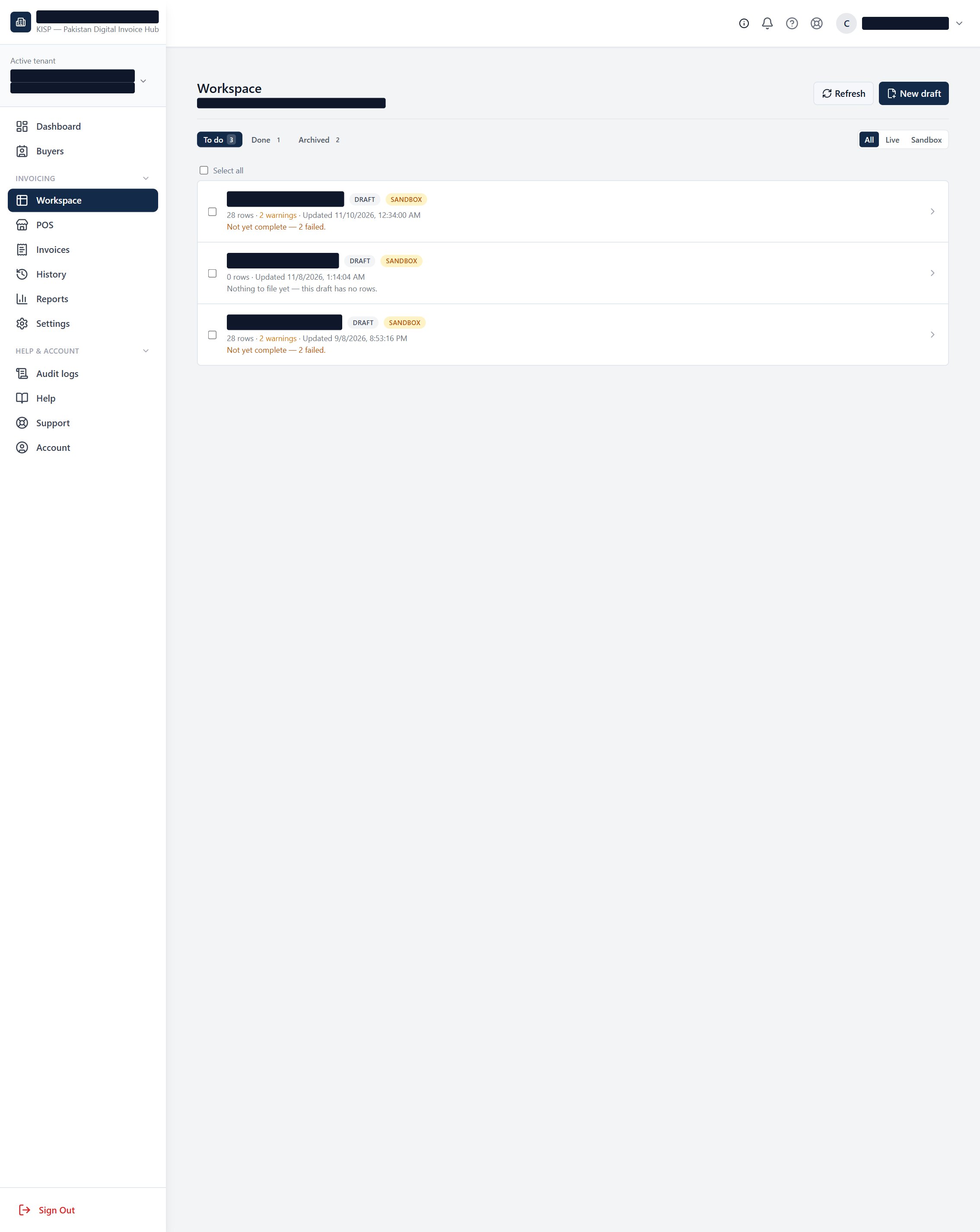
Web POS for commercial invoices — create a sale and sync to FBR in realtime, straight from the browser.
Your environment, your choice — file directly on Live, or build in Sandbox and promote to Live. Switch and clone from the grid header.
Invoices, Reports & History with the same depth as staff — list with drawer detail, reporting, and whole-draft history.
Per-user daily alerts & a weekly digest — each user is nudged only about what needs them, and gets a weekly Live-sync summary.
🛒 Web POS → realtime FBR sync commercial invoices
A point-of-sale screen built into the portal. A client user rings up a commercial invoice and files it to FBR in realtime — item suggestions, scenario, buyer and tax all handled on the same screen.
What a client user can do
- Create a commercial invoice line by line with smart item/HS suggestions.
- Sync to FBR in realtime and get the FBR invoice number back on the spot.
- Print / export the invoice (A4 or thermal) to hand the customer.
How to use it
- Open Client Portal → New sale (POS).
- Pick the buyer and scenario, add lines (type a product or HS code).
- Review tax, then Sync to FBR — the status and FBR number appear immediately.
🔀 Sandbox or Live — whatever the user prefers per draft
Clients aren't forced down one path. File straight on Live when they're ready, or rehearse in Sandbox first and promote the exact same draft to Live — switched right from the grid header, with a one-click clone across environments.
- Direct Live: for clients already approved and confident, file on Live from the start.
- Sandbox → Live: rehearse the scenario in Sandbox, then clone to Live and file the identical invoice.
- The Sandbox / Live switcher lives in the grid header — no digging through settings.
📁 Dashboard, Invoices, Reports & History full depth
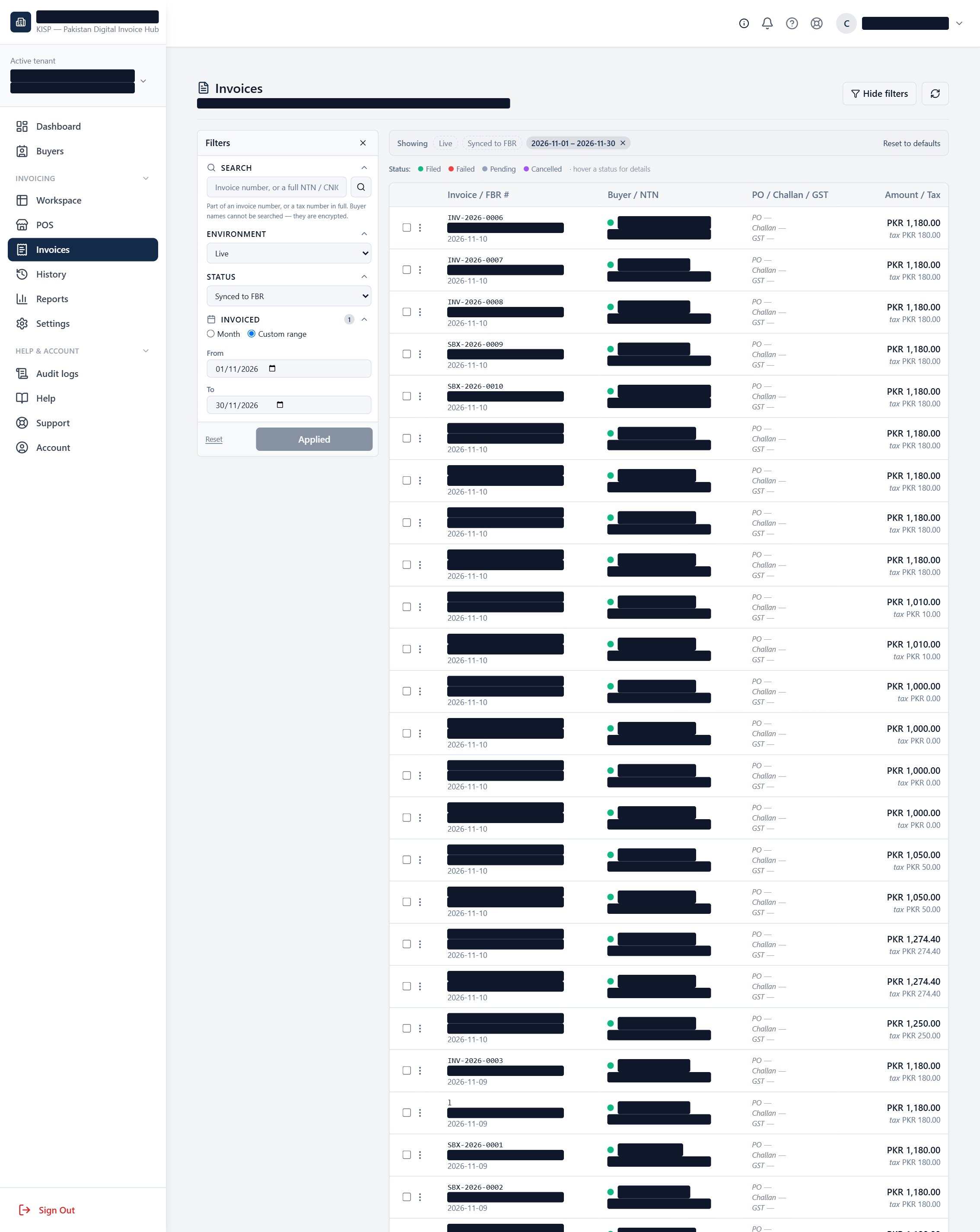
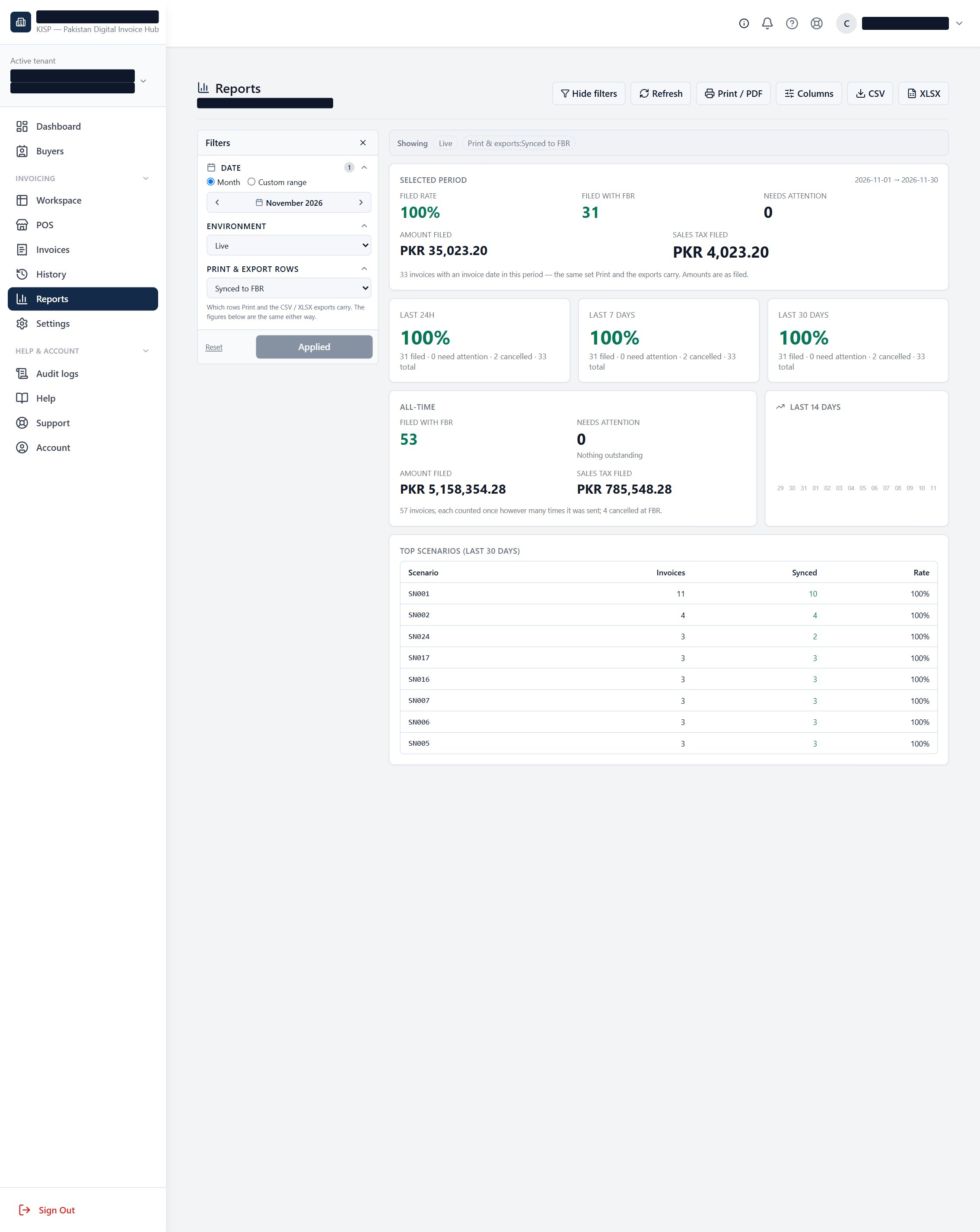
Everything after the sale: a searchable Invoices list with detail drawers, Reports they can read and export, and the same complete whole-draft History staff see.
- Invoices — list defaults to "Synced to FBR" with the filter drawer ready; open any row for full detail.
- Reports — filing health, sale value and tax, exportable.
- History — every sync run of a draft, the complete picture.
- Dashboard — the same three-band "needs you" view, scoped to the user's company and permissions.
🔔 Daily "needs you" alert — per user opt-in
Each portal user who opts in gets one short morning email listing only their company's action items — the exact same things on their dashboard. Crucially, it's sent only on days when something needs them: no email means a clean day, so the alert never becomes noise.
Sample — what a client user receives
Good morning Ahmed,
Here is what needs you on Tuesday, 11 November 2026. Everything here matches your dashboard — open any item to act on it.
Illustrative sample — real content is each user's own company items, scoped to their permissions.
📬 Weekly FBR Sync Digest — per company weekly
A once-a-week summary of the company's Live sync activity, sent to each recipient's own login email. It answers "how did the week go?" at a glance, with a by-buyer breakdown and an optional per-buyer PDF pack to forward customers.
Sample — what the digest contains
Hello Ahmed, here is the FBR Live sync activity for Asif Brothers over 4–10 Nov 2026.
| Invoices synced | 128 |
| Failed | 2 |
| Pending | 3 |
| Sale value (synced) | PKR 4,812,500 |
| Sales tax (synced) | PKR 818,125 |
November so far
| Invoices synced | 342 |
| Sale value | PKR 12,140,000 |
| Sales tax | PKR 2,063,800 |
By buyer, this week
| Buyer | Inv | Sale value | Sales tax |
|---|---|---|---|
| Metro Cash & Carry | 41 | PKR 1,920,000 | PKR 326,400 |
| Imtiaz Super Market | 33 | PKR 1,284,500 | PKR 218,365 |
| Al-Fatah | 22 | PKR 902,000 | PKR 153,340 |
Illustrative sample numbers — the real digest carries the company's actual week.